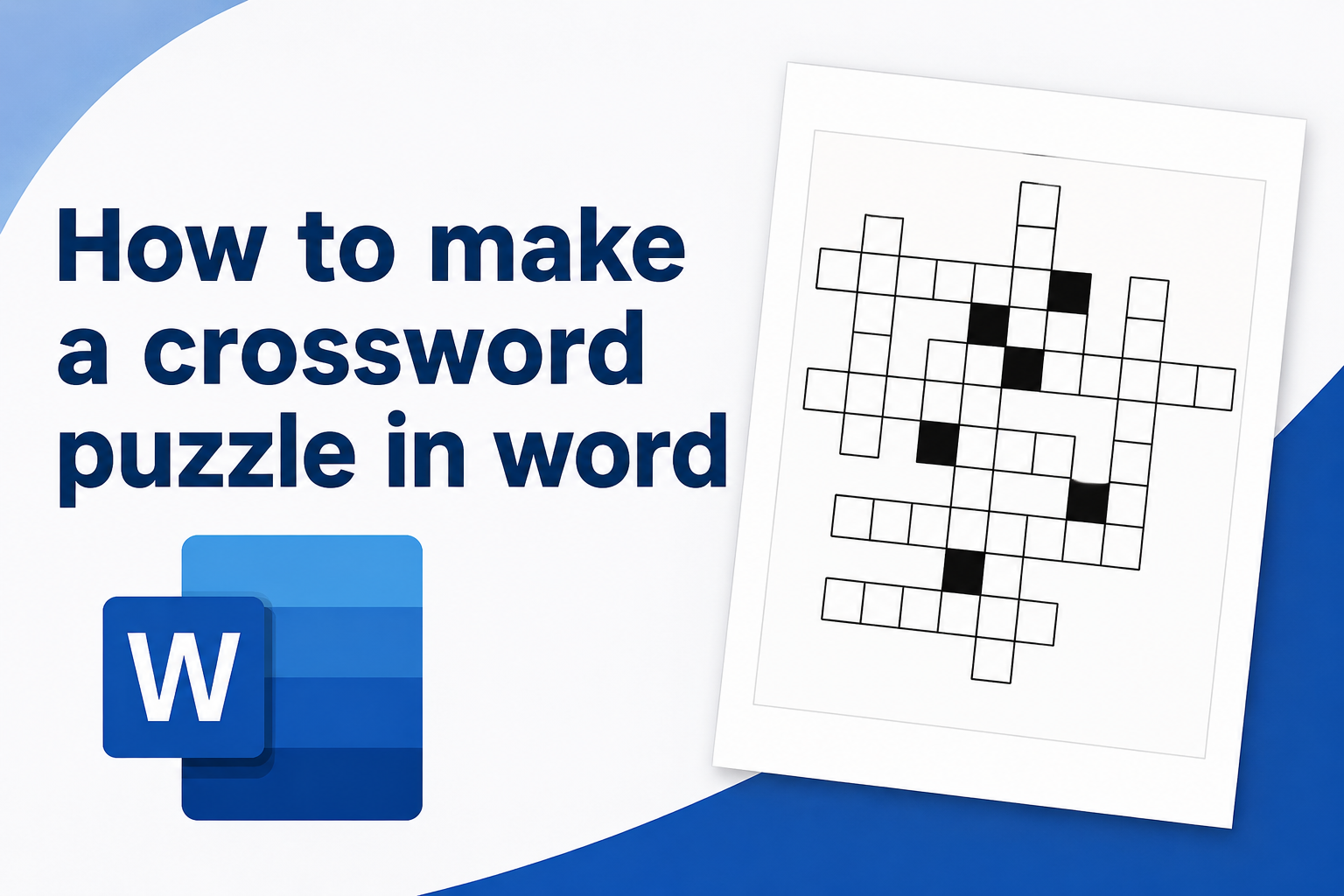
Learning how to make a crossword puzzle in Word is useful when you want a simple, printable activity without needing special puzzle software. Microsoft Word gives you enough tools to build a clean crossword grid, add clues, format the page, and print copies for classrooms, family events, office activities, training sessions, or personal projects. A crossword puzzle in Word can be educational, entertaining, and easy to customize for almost any topic, from vocabulary practice to birthday trivia, holiday games, history review, or team-building questions. In this guide, you will learn what a Word crossword puzzle is, why it works well, how to create one step by step, how to write better clues, and how to avoid common formatting mistakes. You will also find practical examples, best practices, expert tips, a final checklist, and answers to common questions.
What A Crossword Puzzle In Word Means
A crossword puzzle in Word is a printable or digital puzzle made with Microsoft Word’s layout tools. Instead of using a dedicated crossword generator, you create the grid yourself using a table, text boxes, borders, shading, and typed clues. The finished puzzle can be saved, printed, shared as a document, or exported as a PDF.
The basic idea is simple. You place letters in a grid so that words cross each other horizontally and vertically. Each word has a clue, and players fill in the blank squares by solving those clues. In Word, the grid is usually made with a table because tables allow you to create equal-sized boxes, shade unused spaces, and control borders neatly.
This method works best for small to medium crossword puzzles. It is ideal when you want full control over the topic, wording, design, and difficulty level. Teachers, parents, event hosts, trainers, and students often use Word because it is familiar and easy to edit.
Why Make A Crossword Puzzle In Word
Word is not a specialist puzzle design tool, but it is practical for many everyday projects. If you already use Microsoft Office, you do not need to install anything new or learn a separate program. You can build a crossword puzzle with tools you probably already know.
- Easy Access: Many people already have Word on their computer, which makes it a convenient choice for quick puzzle creation.
- Simple Printing: Word documents are easy to print, resize, and adjust for standard paper sizes.
- Flexible Design: You can change fonts, grid size, borders, spacing, clue layout, and page orientation.
- Topic Control: You can create puzzles for school subjects, parties, office training, family activities, or personal interests.
- Low Cost: You can make a useful crossword without paying for a separate crossword puzzle maker.
- Reusable Format: Once you build one puzzle, you can copy the document and use it as a template for future games.
How A Crossword Puzzle Works
A crossword puzzle works by connecting words across and down in a shared grid. Some letters belong to more than one word, which helps players solve harder clues by using answers they already know. The challenge comes from balancing clue difficulty, word placement, and the number of crossing letters.
Each answer has a starting square and a clue number. Across answers move from left to right. Down answers move from top to bottom. Empty or unused squares are usually shaded black or filled with a solid color. In a Word crossword puzzle, you can create this effect by shading table cells or changing their borders.
The best puzzles feel fair. Players should be able to solve some clues quickly, then use those answers to work through the more difficult ones. If every clue is too easy, the puzzle feels flat. If every clue is too obscure, players may give up before they enjoy it.
What You Need Before You Start
Before opening Word and drawing a grid, it helps to plan the puzzle content. A little preparation prevents messy formatting and makes the final crossword easier to complete. You do not need advanced design skills, but you do need a clear word list and a rough idea of how the answers will connect.
Choose A Theme: A focused theme makes the puzzle easier to write and more enjoyable to solve. Good themes include school vocabulary, family names, holiday traditions, sports terms, company values, book characters, movie trivia, or birthday facts.
Make A Word List: Write down 10 to 20 possible answers before building the grid. Use a mix of short, medium, and longer words. Short words are easier to place, while longer words can make the puzzle feel more substantial.
Draft Your Clues: Each answer needs a clue that is clear, accurate, and appropriate for the audience. For younger players, use direct clues. For adults or advanced learners, you can include wordplay, hints, or more challenging definitions.
Decide The Size: A small puzzle may use a 10 by 10 grid. A larger classroom or party puzzle might use 15 by 15. Bigger grids give you more room, but they also take more time to design neatly.
How To Make A Crossword Puzzle In Word
The easiest way to make a crossword puzzle in Word is to use a table as the grid. A table gives you rows and columns that can be adjusted into square cells. Then you fill in answer letters, shade unused cells, add clue numbers, and list the clues below or beside the puzzle.
- Open A Blank Document: Start with a new Word document and choose a page orientation. Portrait works well for smaller puzzles, while landscape gives you more horizontal space for a grid and clues.
- Insert A Table: Go to the table tool and insert a grid large enough for your puzzle. A 12 by 12 or 15 by 15 table is a good starting point for most printable crossword puzzles.
- Make The Cells Square: Select the table and adjust the row height and column width so every cell is the same size. This gives the crossword a clean, professional look.
- Place Your Answers: Type one letter per cell. Arrange words across and down so they share letters where possible. Keep a separate answer list while you work.
- Shade Unused Cells: Fill unused cells with black or dark gray shading. This creates the familiar crossword pattern and makes the answer spaces easy to see.
- Add Clue Numbers: Place small numbers in the starting cells for each answer. You can type the number before the letter or use a smaller font size inside the cell.
- Write Across And Down Clues: Add headings for Across and Down below the grid or in columns beside it. Match each clue number to the correct answer.
- Create An Answer Key: Duplicate the page or save a second version with the completed answers visible. This makes checking answers much easier.
- Review And Print: Check spelling, numbering, spacing, and clue accuracy before printing or sharing the file.
Choosing The Right Crossword Grid Size
The grid size affects how the puzzle looks and how difficult it is to make. A small grid is easier to design and better for short activities. A large grid gives players more to solve but requires more planning. For most beginners, a moderate grid is the safest choice.
Small Grids
A small grid, such as 8 by 8 or 10 by 10, is best for children, quick classroom reviews, party icebreakers, and simple vocabulary games. It works well when you only need 8 to 12 answers. Small grids are easier to fit on one page, and players can usually finish them quickly without feeling overwhelmed.
Medium Grids
A medium grid, such as 12 by 12 or 15 by 15, is the most flexible option. It gives you enough space for a useful mix of answer lengths while still being manageable in Word. This size is ideal for school worksheets, family gatherings, office games, and printable party activities.
Large Grids
A large grid can look impressive, but it is harder to design manually. If you use a grid larger than 15 by 15, make sure the puzzle still fits comfortably on the page. You may need landscape orientation, smaller cells, or a separate clue page to keep everything readable.
How To Write Good Crossword Clues
Strong clues make a crossword puzzle more satisfying. A good clue should point clearly toward the answer without giving it away too easily. The right style depends on the audience, the topic, and the purpose of the puzzle.
- Keep Clues Clear: Avoid vague wording unless the puzzle is meant to be very challenging.
- Match The Audience: Use simple clues for children and more layered clues for adults or advanced learners.
- Use Different Clue Types: Mix definitions, fill-in-the-blank clues, trivia prompts, and descriptive hints.
- Avoid Trick Overload: A few clever clues are fun, but too many can make the puzzle frustrating.
- Check Every Answer: Make sure each clue has only one reasonable answer unless crossing letters will clarify it.
- Stay Consistent: If the answer is plural, the clue should suggest a plural answer. If the answer is past tense, the clue should match that form.
Question And Clue Ideas For A Word Crossword
The best crossword clue ideas depend on why you are making the puzzle. A classroom crossword should reinforce learning. A party crossword should create conversation. A training crossword should help people remember important terms. Start with the purpose, then choose clues that support it.
Educational Clue Ideas
Educational puzzles can include vocabulary words, science terms, historical names, book characters, math concepts, or foreign language practice. For example, a clue might ask for the process plants use to make food, a synonym for a vocabulary word, or the author of a class novel. These clues help turn review into an active task.
Party And Event Clue Ideas
For parties, crossword clues can be personal, funny, or themed around the guest of honor. You might include favorite foods, hobbies, travel memories, favorite movies, funny habits, inside jokes, or memorable moments. Keep the tone friendly and avoid clues that could embarrass someone or make guests uncomfortable.
Workplace Clue Ideas
Workplace crossword puzzles can support onboarding, training, team-building, or company events. Clues might include product names, department roles, office phrases, safety terms, customer service principles, or company values. Keep the clues useful and inclusive so new employees can participate without feeling left out.
Examples Of Crossword Clues And Answers
Examples make it easier to see how a crossword puzzle in Word can be adapted for different uses. The following clues are original and can be adjusted for school, home, office, or party settings.
- Clue: A written hint that helps solve a crossword answer. Answer: Clue.
- Clue: The Microsoft program used to create documents and printable worksheets. Answer: Word.
- Clue: A group of rows and columns used to build the puzzle grid. Answer: Table.
- Clue: A square where two answers share the same letter. Answer: Cross.
- Clue: A printed activity often used in classrooms, parties, and training sessions. Answer: Puzzle.
- Clue: The page that shows all completed answers for checking. Answer: Key.
You can make clues more specific by changing the theme. For a birthday puzzle, a clue might ask for the birthday person’s favorite dessert. For a history puzzle, it might ask for a famous leader or event. For a vocabulary puzzle, it might give a definition and ask students to recall the correct term.
Practical Uses For Crossword Puzzles In Word
A Word crossword puzzle can be used in many settings because it is easy to customize and print. The same basic format can become a learning worksheet, a family game, a party activity, or a workplace exercise.
Classroom Lessons: Teachers can use crossword puzzles to review vocabulary, spelling, historical facts, science terms, literature, and language concepts. Students often enjoy solving clues more than answering a plain list of review questions.
Birthday Parties: A birthday crossword can include fun facts about the guest of honor, favorite things, memories, and friendly trivia. It works especially well as a printable birthday game for small groups.
Family Gatherings: Crosswords can be built around family names, traditions, vacations, recipes, or shared memories. They create conversation and give different generations something to do together.
Office Activities: A crossword can support training, team events, company celebrations, or onboarding. It can make important information easier to remember when the clues are relevant and practical.
Holiday Events: Seasonal puzzles are easy to make in Word. You can create clues about winter traditions, Halloween words, Thanksgiving foods, Valentine’s Day phrases, or summer vacation themes.
How To Format The Puzzle Neatly
Formatting is where many Word crossword puzzles either look polished or become hard to use. The goal is to make the grid easy to read, the clues easy to follow, and the page balanced. Clean formatting matters because players should focus on solving, not figuring out where to write.
Use Equal Cell Sizes
Uneven cells make a crossword look messy and can cause letters to sit awkwardly. After inserting your table, set the row height and column width to the same measurement. A square grid looks more familiar and gives players enough room to write letters by hand if you print blank copies.
Keep Borders Simple
Use clear, thin borders around answer cells. Heavy borders can make the grid feel crowded, especially if the puzzle is small. Shaded cells should be dark enough to show they are unused, but the active answer squares should remain white or very light so letters are easy to read.
Place Clues Where They Are Easy To Scan
For a one-page puzzle, place the clues below the grid or beside it in two columns. Use separate Across and Down headings so players do not mix up the clue directions. If the grid is large, it may be cleaner to put clues on a second page rather than shrinking everything too much.
Best Practices For Better Crossword Puzzles
A good printable crossword puzzle is not just a grid with clues. It should feel balanced, readable, and appropriate for the people solving it. These best practices can help you create a puzzle that looks better and plays better.
- Mix Easy And Hard Clues: Give players a few quick wins, then include some clues that require more thought.
- Use Familiar Words: Avoid obscure answers unless the puzzle is for a specialized topic or advanced audience.
- Balance Word Lengths: Include short, medium, and longer answers so the grid is easier to arrange.
- Check Spelling Carefully: One misspelled answer can make crossing words impossible to solve correctly.
- Make Instructions Clear: Tell players whether spaces, punctuation, or abbreviations are included.
- Test The Puzzle: Solve a blank copy yourself before sharing it with others.
Common Mistakes To Avoid
One common mistake is making the puzzle too difficult for the audience. A crossword for children, party guests, or new employees should not rely on obscure references. If players cannot solve enough clues to get started, the activity quickly loses energy.
Another mistake is creating confusing clue numbers. In Word, it is easy to accidentally skip a number, repeat a number, or place a clue number in the wrong cell. Always compare the finished grid with the Across and Down lists before printing.
Some creators forget to leave enough writing space. If the cells are too small, printed puzzles become frustrating, especially for younger players or groups writing by hand. It is better to use fewer answers and larger cells than to squeeze too much onto one page.
Repetitive clues can also weaken the puzzle. If every clue follows the same pattern, the crossword starts to feel dull. Mix definitions, facts, short phrases, and direct prompts. Finally, avoid asking questions that are too personal when the puzzle is for a group. Keep the content friendly, comfortable, and suitable for everyone present.
Expert Tips For A More Engaging Puzzle
Once you understand the basics, small improvements can make your Word crossword puzzle feel much more professional. These tips are especially useful if you plan to use the puzzle in a classroom, at an event, or as a printable activity for other people.
Start With The Longest Answers: Place your longest words first because they are harder to fit later. Then build shorter answers around their letters. This makes the grid easier to organize and usually creates more useful crossings.
Create A Theme Word: Add one central answer that defines the whole puzzle. For example, a science puzzle might include “photosynthesis,” while a birthday puzzle might include the guest of honor’s name. A strong theme word gives the puzzle focus.
Use An Answer Key Strategically: Keep one completed version and one blank version. If you are using the puzzle with a group, the answer key helps you check responses quickly and settle close scores fairly.
Print A Test Copy: A document can look fine on screen but feel cramped on paper. Print one copy before making a full batch. Check whether the grid is large enough, the clue text is readable, and the page breaks are clean.
Final Preparation Checklist
Before you share or print your crossword puzzle, use a quick checklist. This helps catch small problems that can interrupt the activity once people begin solving.
- Questions Reviewed: Confirm that every clue is accurate, clear, and suitable for the audience.
- Answer Spaces Checked: Make sure each answer has the correct number of boxes.
- Clue Numbers Matched: Compare every grid number with the Across and Down clue lists.
- Instructions Included: Add brief directions so players know exactly what to do.
- Copies Prepared: Print enough blank puzzles for all players or teams.
- Answer Key Ready: Keep a completed version available for checking answers.
Frequently Asked Questions
Can You Make A Crossword Puzzle In Microsoft Word?
Yes, you can make a crossword puzzle in Microsoft Word by using a table as the grid. You can adjust the table cells into squares, type letters into the correct spaces, shade unused cells, add clue numbers, and write Across and Down clues on the same page or a second page.
What Is The Easiest Way To Create The Grid?
The easiest method is to insert a table with enough rows and columns for your puzzle. After inserting it, make the row height and column width equal. Then place your answers, shade blank spaces, and adjust borders so the grid looks clean and printable.
How Many Words Should A Crossword Puzzle Have?
For a simple printable crossword, 10 to 20 words is usually enough. A quick activity may only need 8 to 12 answers, while a classroom worksheet or event game may use more. The best number depends on the audience, available time, and page space.
Should I Make The Puzzle Blank Or Filled In?
You should usually create both versions. The blank version is for players, and the filled-in version is your answer key. In Word, you can duplicate the completed page, remove the letters from the player copy, and keep the original as the solution page.
How Do I Make A Crossword Puzzle More Fun?
Make the puzzle more fun by choosing a clear theme, adding a mix of easy and challenging clues, and including personal or surprising answers when appropriate. For groups, you can add a time limit, small prizes, team play, or a bonus question at the end.
Is Word Better Than A Crossword Generator?
Word is better when you want control over the layout, printing, and design. A crossword generator is faster for arranging complex grids automatically. Many people use a generator for the word placement, then recreate or polish the puzzle in Word for a cleaner printable version.
What Types Of Clues Work Best?
The best clues are clear, fair, and matched to the audience. Definitions work well for educational puzzles, while personal facts work well for party games. You can also use fill-in-the-blank clues, short trivia prompts, category hints, or simple descriptions depending on the puzzle theme.
Conclusion
Making a crossword puzzle in Word is a practical way to create a custom printable activity for learning, parties, family events, office training, or simple entertainment. With a table, a clear word list, thoughtful clues, and careful formatting, you can build a puzzle that looks organized and is enjoyable to solve.
The most important steps are planning your answers, matching the difficulty to your audience, keeping the grid readable, and checking the final version before sharing it. Once you make one crossword in Word, you can reuse the format again and again for new themes and occasions.